
Plan the weeks ahead. Keep the forecast current as the job moves.
Timesheet and crew-logging systems record hours once they've been worked. DreamSheets is for what comes next: who you need, where and on which days, and what it will cost, projected from the schedule and updated as the plan changes.
Accounts are by invitation. Request access and we'll reply by email.

Plan forward, not after the fact.
Crew logging and DreamSheets answer different questions. One records what the crew worked. The other plans what they'll work next, and what it will cost. They sit alongside each other.
Records hours once they're worked
- Captured after the day, from the crew or the department
- The record for payroll and the final cost
- Tells you what a week cost once it's over
Plans crew, locations and cost before the day
- Crew, units and locations laid out for the weeks ahead
- Headcount and labour cost projected from that plan
- Kept current as the plan changes, live for every department with the schedule open
Keep your logging system for actual hours and payroll. Use DreamSheets for the plan and the forecast.
The calendar is the plan. Everything else reads from it.
Quick Line, Labour, Flow and the projected cost are built from the same planned bookings, so they never disagree with each other or with the calendar.
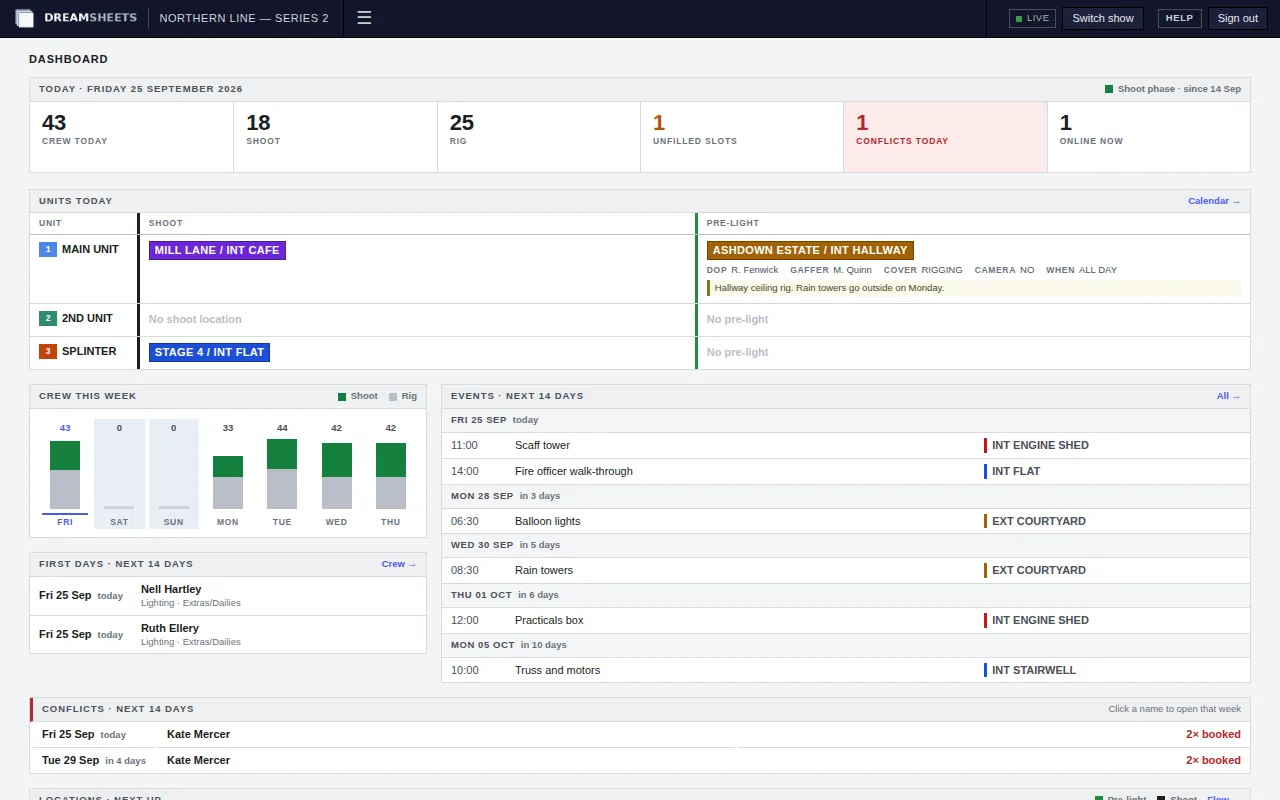
Book crew onto the days they work.
Each week shows your units and teams across seven days. Drag a name from the crew list onto a team's day and the booking is made. Drag a location onto a unit's shoot or pre-light line and it's on the schedule.
- Double bookings show up on the card the moment they happen, and again on the dashboard.
- Sixth and seventh days in a row are marked, and the booking dialog warns you before you save.
- Undo and redo are kept for each person, so a wrong drag costs you one keystroke.
Read the schedule the way each department needs it.
Quick Line gives every unit's shoot and pre-light location, one row per date. Full Fat lists each pre-light with its briefing. Labour shows each person across up to twelve weeks, with the day's headcount underneath.
Planning views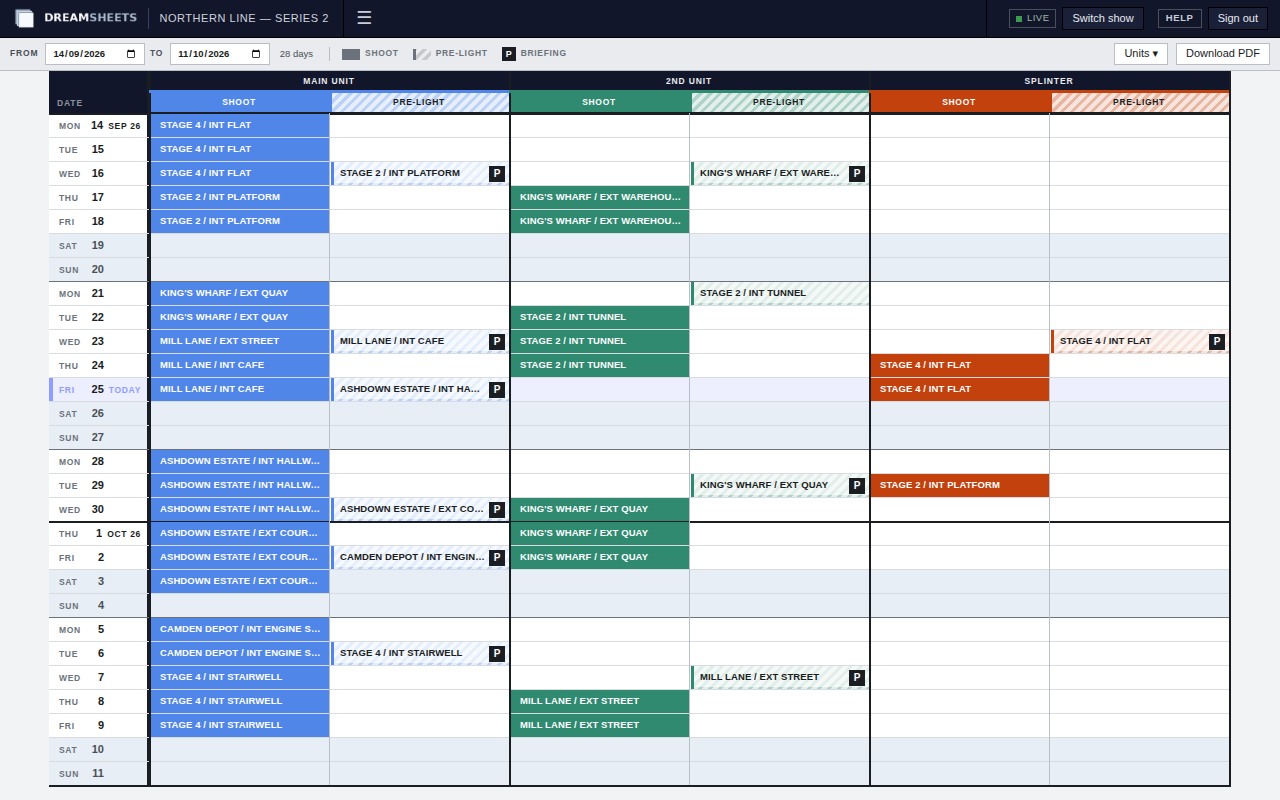
See every location over time.
Flow puts one location on each row with the days running across, so you can see when a set is rigged, pre-lit, shot and de-rigged, and by which team. Kit parks equipment under a location for a run of days. Events keeps deliveries, recces and unit moves on a month view.
Locations, events and kit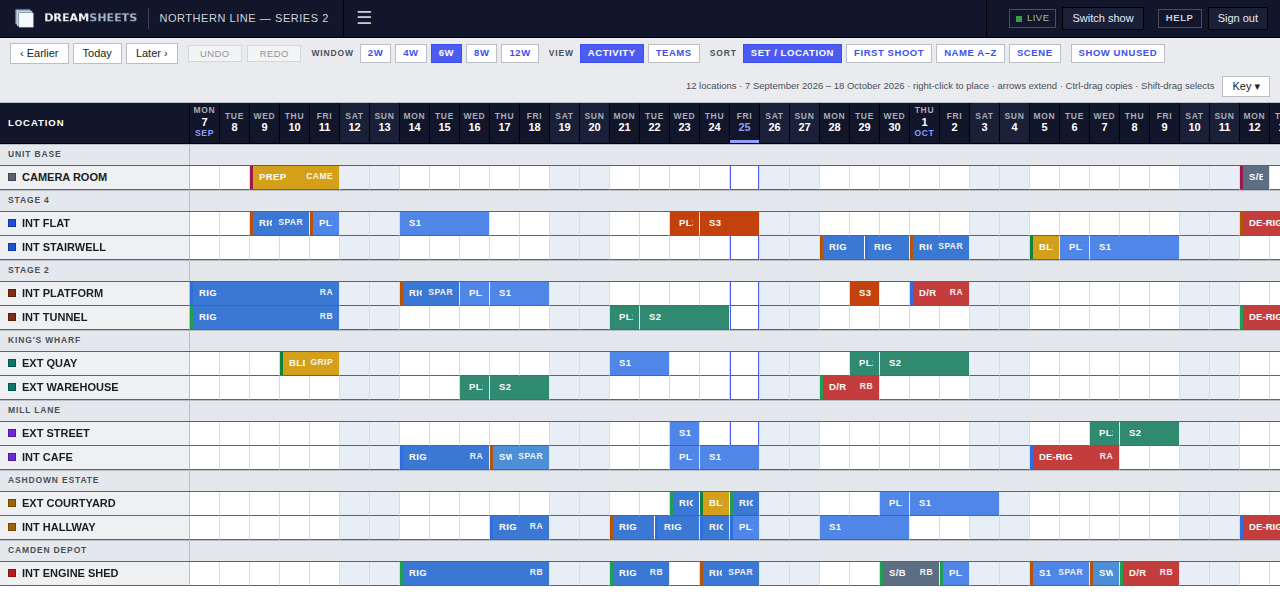
See where the labour budget will land before the week is shot.
The cost report projects what the crew will cost from the schedule: every planned booking at its role's rig or shoot rate, plus overtime and other day flags. Unfilled slots can be costed too, so the forecast covers the whole crew plan. It's worked out afresh each time you open it, so it always reflects the current plan. Filter by dates, role, team or unit, and take the result away as a PDF.
Costs and paperwork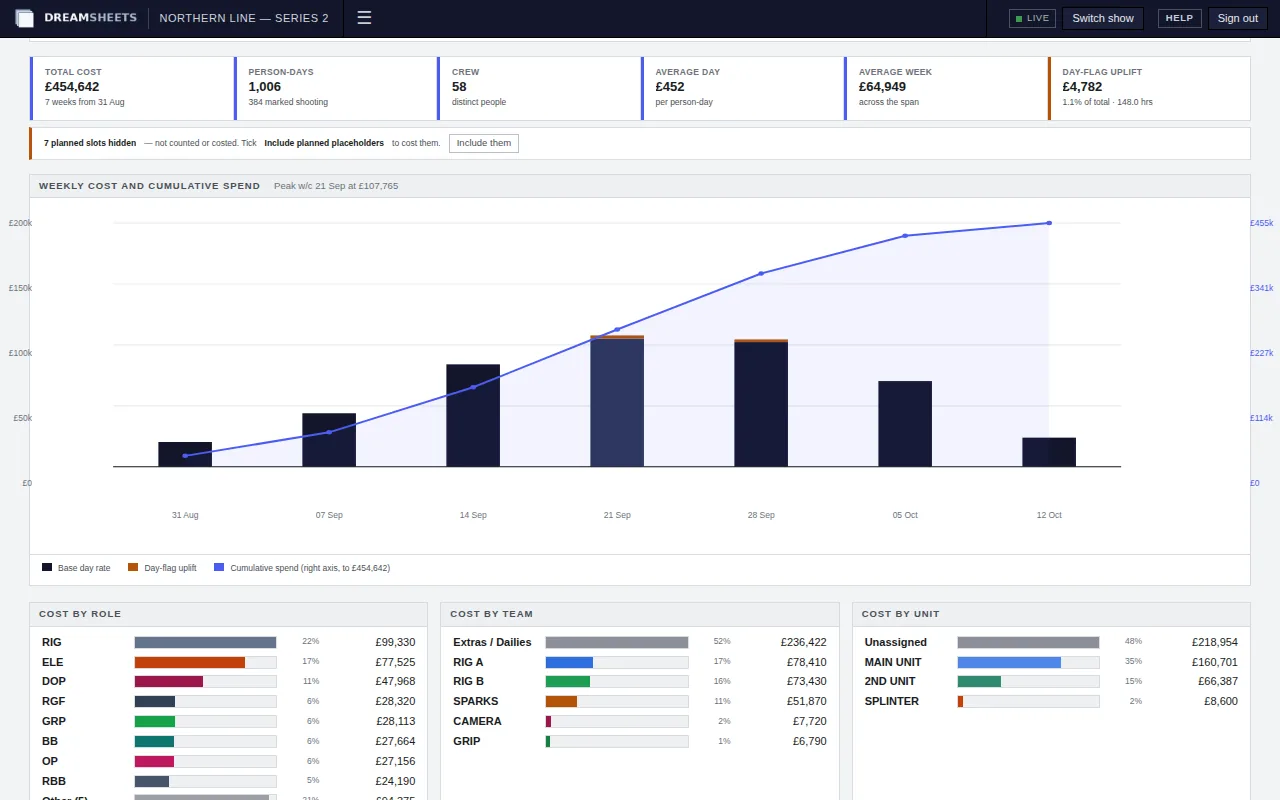
How a production runs on it.
Set up the job
Add roles and day rates, teams, units and locations, or copy them from a production you've run before. Load the crew list with each person's contract or daily dates, then start booking rig days.
- Copy roles, rates, teams, units, locations and crew from an earlier show
- Unfilled slots hold a role until you have a name for it
- Invite heads of department as Editors, the rest of the office as Viewers
Run the days
The dashboard opens on today. Changes made on the calendar reach everyone who has it open within seconds, with a note of who made them. The Quick Line and Full Fat go out as PDFs.
- Pre-light briefings: DoP, gaffer, cover, time and camera
- Overtime and other day flags priced as you add them
- Deliveries, recces and unit moves on the Events month
Close it out
Book the de-rig, run the final cost report and download the crew ledger. Then wrap the production. It stays readable for everyone on it, and nobody can change it until the owner reopens it.
- Cost report PDF with week-by-week pages
- A cost line for every crew member
- The owner can export the schedule and lists as a data file
Everyone sees the schedule. The right people change it.
Each production has one owner. They invite everyone else by email as an Editor or a Viewer, and can change that or remove someone at any time.
Crew and access| On each production | Owner | Editor | Viewer |
|---|---|---|---|
| See every view and the cost report | Yes | Yes | Yes |
| Download the PDFs | Yes | Yes | Yes |
| Book crew and edit the lists | Yes | Yes | No |
| Invite people and set their access | Yes | No | No |
| Wrap, export or delete the production | Yes | No | No |
Crew details are personal data. We treat them that way.
Separate at the database
Every table that holds production data carries PostgreSQL row-level security. The app connects as a role that can't bypass it.
Invitation only
There is no public sign-up. Invite links work once and expire after seven days.
Encrypted in transit
The site is served over HTTPS only, and browsers are told never to connect over plain HTTP.
Backed up nightly
Every table in the database is copied each night, and each copy is kept for 30 days.
Put your next production on DreamSheets.
Tell us about the job and when prep starts, and we'll be in touch.