
ProductLocations, events and kit
Every set, from the first rig day to the last de-rig.
Locations are stages and the sets on them. Units shoot and pre-light on them, teams rig and de-rig them, kit is parked on them, and deliveries turn up at them. DreamSheets keeps all of that against the same list.
Stages, and the sets on them.
Each location has a colour, scene numbers, an address and a what3words reference. Sets sit under their stage or location and take its colour, so a unit's day reads as STAGE 4 / INT FLAT wherever it appears.
- Drag a set onto a unit's shoot or pre-light line on the calendar, or onto a team's location strip.
- The Locations list shows each location's first and last shoot or pre-light day, and updates as the calendar changes.
| Field | What goes in it |
|---|---|
| Stage and set | Where the pre-light is |
| DoP, Gaffer | Names, typed in |
| Cover | Shooting, rigging, dailies, mix or other, or left open until it's known |
| Camera | Yes, no or other, or left open |
| Time | All day, pre-call, on wrap or other, or left open |
| Notes | Anything else the crew need to know |
Added from the calendar or the Full Fat. A P on the pre-light tag shows a briefing exists.
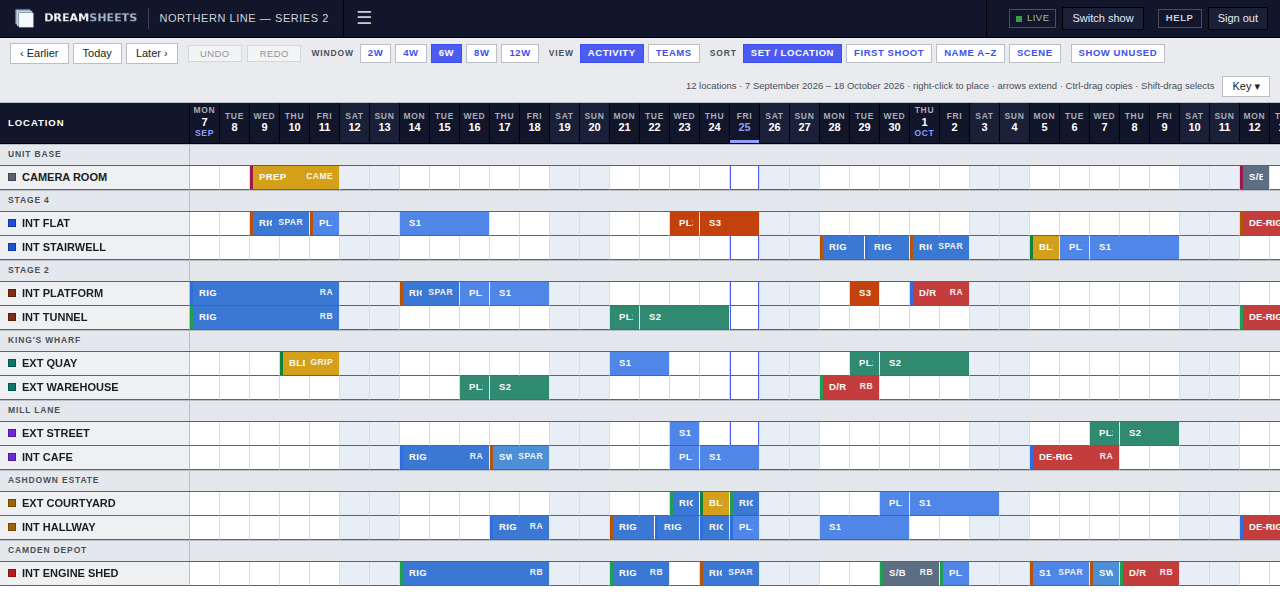
One location per row, the days running across.
Flow merges the calendar's unit days and team jobs into bars, so you can see when each set is being rigged, pre-lit, shot and de-rigged, and which team or unit is on it. Unit bars read S for shoot or PL for pre-light, then the unit's code: PL2 is a pre-light day for the unit coded 2.
Sort it your way
By stage and set, by first shoot day, by name, or by scene number. Show unused locations when you're planning ahead.
Edit the team runs
Editors can place a team on a location, drag a run to move it, Ctrl-drag to copy it, and pull the ends to lengthen or shorten it. Changes go back to the calendar.
Two to twelve weeks
Pick the window, step earlier or later, and switch between what's happening on each set and which teams are on it.
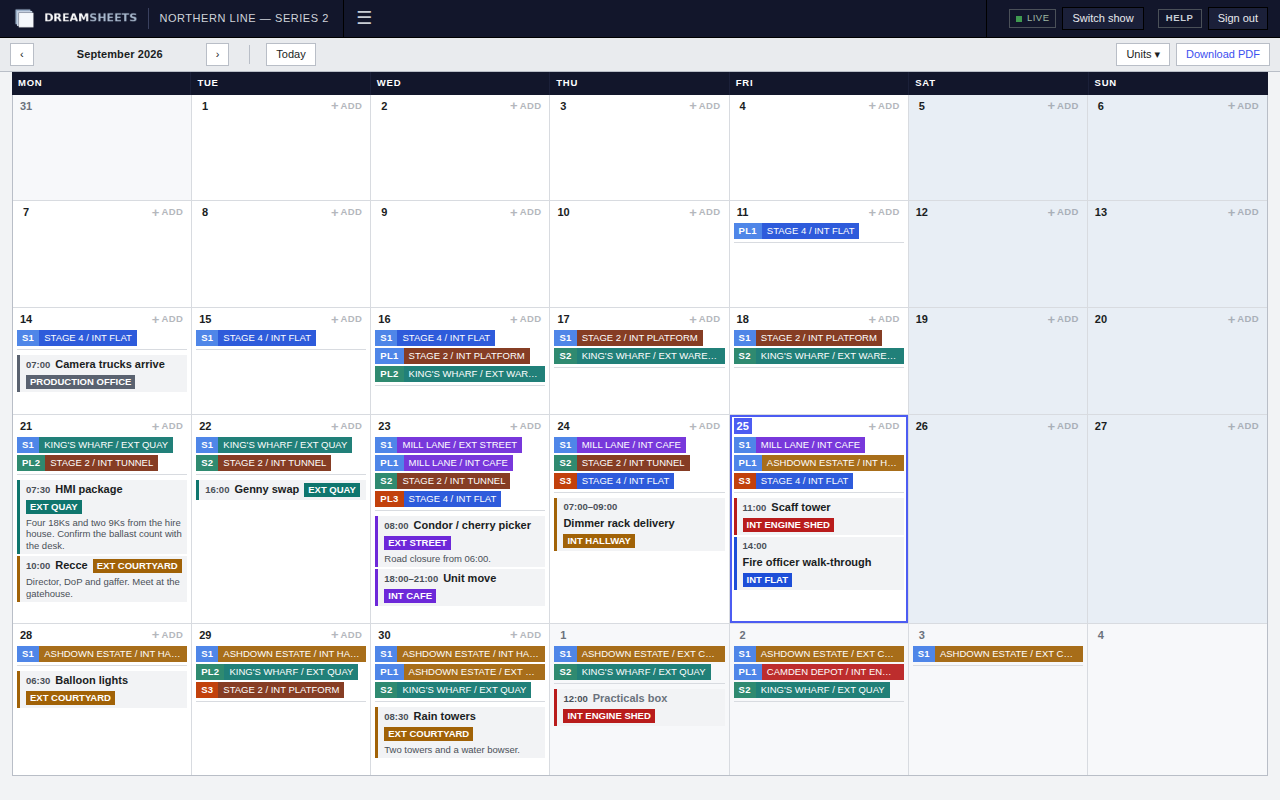
Deliveries, recces and unit moves, on a month.
Anything with a time and a place goes on Events: a title, a time or a window, the set it's for, and a note. Each day also shows where every unit is shooting and pre-lighting. Drag an event to another day to move it, and download the month as an A3 PDF.
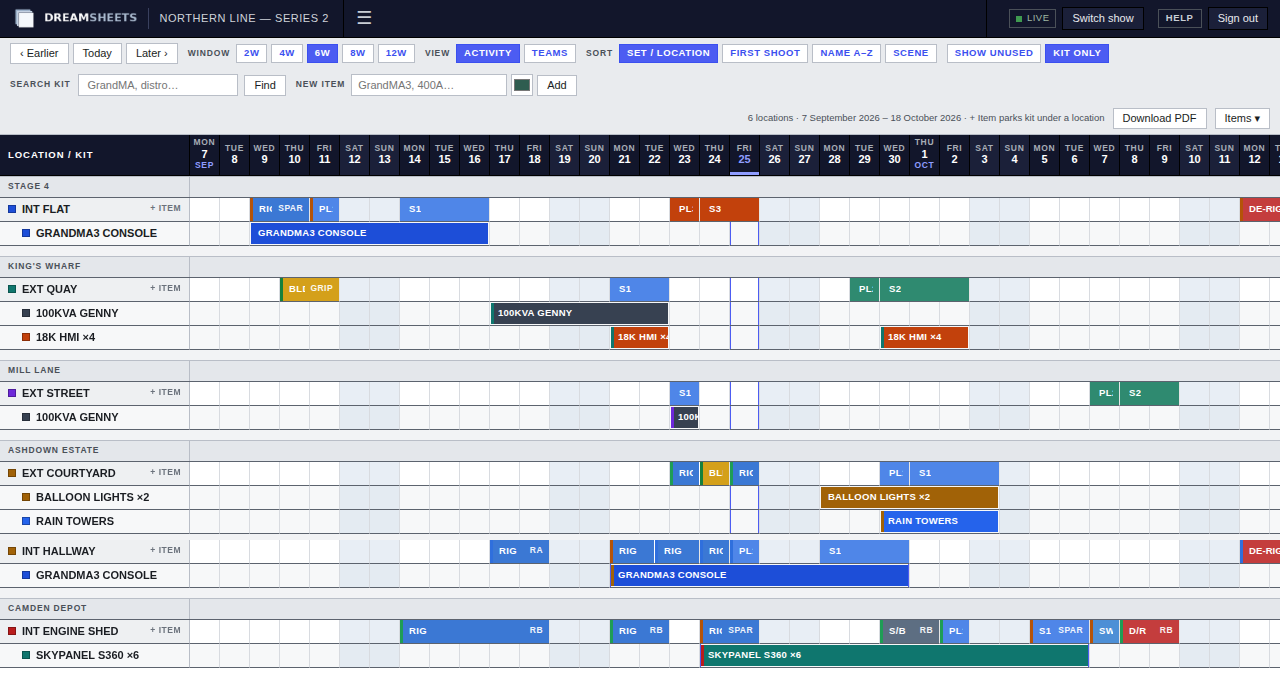
Know where the kit is parked.
Kit uses the same location rows as Flow. Add an item, such as a lighting desk or a distro package, then park it under a location for a run of days. Drag the bar to move it, pull its ends to change the dates.
- Search for an item by name to see where it is.
- Show only locations with kit, or every location.
- Kit allocation PDF: pick up to 24 items and get a day-by-day list of where each one is, on A4.
Put your next production on DreamSheets.
Tell us about the job and when prep starts, and we'll be in touch.