
Plan forward on one calendar. Everything else is read from it.
DreamSheets holds the crew list, the units, the locations and the rates, and lays them out for the weeks ahead. Bookings are made on the calendar. Every other view is read from it, including the projected labour cost, so the Quick Line, the Labour grid and the forecast always agree.
Four areas, one set of bookings.
Calendar, Dashboard, Quick Line, Full Fat, Labour
Book crew onto units and teams by day, with undo and redo. Read the result back as today's dashboard, the Quick Line, the pre-light list or the labour grid.
Scheduling Crew and accessCrew, Roles, Teams, Units, Team
The contact sheet with contract and daily dates, roles with rig and shoot rates, slots held for roles you haven't filled, and who on the production can see or change what.
Crew and access Locations, events and kitLocations, Flow, Events, Kit
Stages and sets, pre-light briefings, every location's rig, pre-light, shoot and de-rig days over time, deliveries on a month view, and where each piece of kit is parked.
Locations, events and kit Costs and paperworkFinancials and PDFs
Labour cost projected from the planned bookings, day rates and overtime, filtered however you need it, and the PDFs the office sends out: Quick Line, Full Fat, Events, Kit and cost.
Costs and paperworkChanges reach everyone as they're made.
When someone books, moves or removes crew, everyone with the Calendar, Dashboard, Labour, Flow, Kit or Events open sees the change within seconds, without reloading. The calendar tells you who made it.
- Who's online shows in the top bar, and on the dashboard.
- Two people editing the same booking can't overwrite each other. If both save, the second is refused and has to be made again.
- A dropped connection reconnects on its own and catches up on anything it missed.
- Quick Line, Full Fat and the cost report are worked out each time you open them.
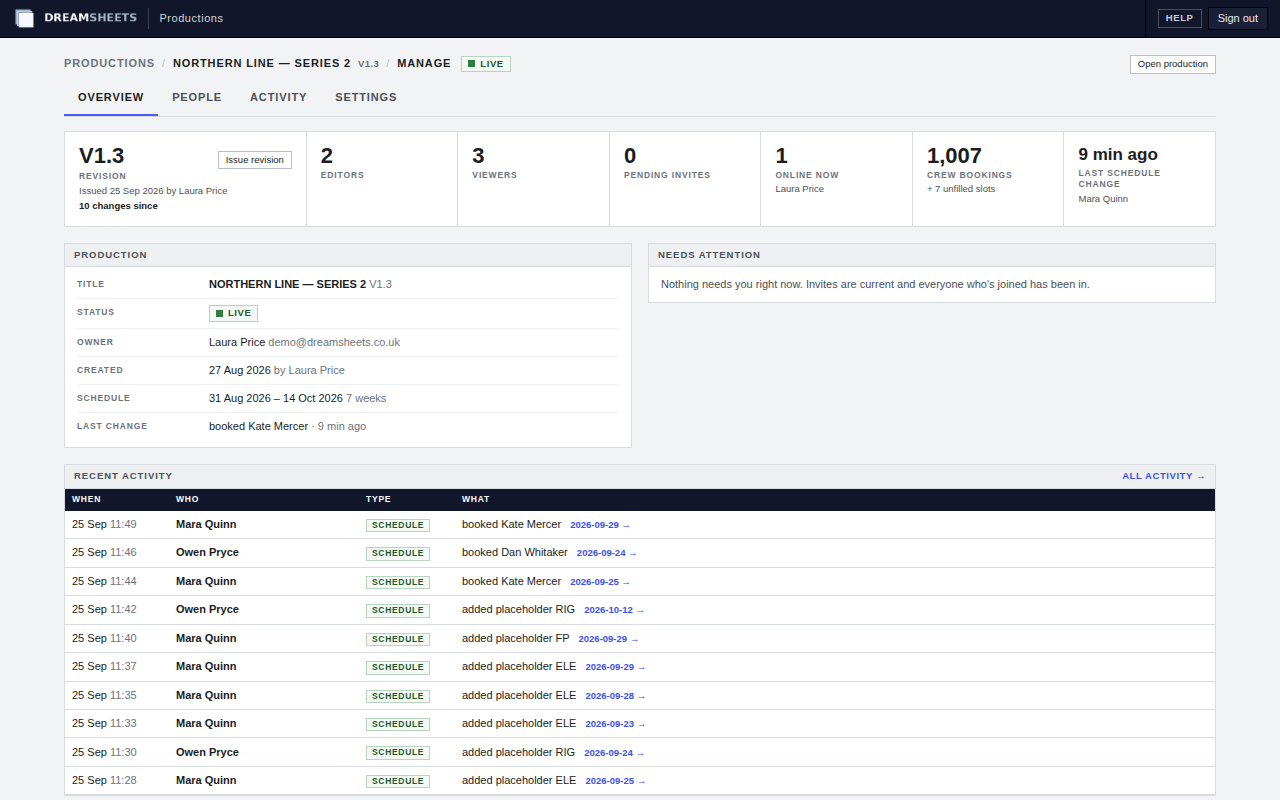
The tabs, in the order you'll find them.
| Tab | What it's for | |
|---|---|---|
| Dashboard | Today at a glance: headcount by shoot and rig, each unit's locations, unfilled slots, conflicts, first days, events and who's online. | No |
| Calendar | Book crew onto teams and units by day. Drag and drop, copy and paste team days and weeks, undo and redo. | No |
| Events | Deliveries, recces, unit moves and anything else with a time, on a month grid. | A3 |
| Quick Line | Every unit's shoot and pre-light location, one row per date. | A3 |
| Full Fat | Each pre-light line with its briefing, editable in place. | A3 |
| Labour | Each crew member across two to twelve weeks, with the day's headcount. | No |
| Flow | Each location across the days: rig, pre-light, shoot and de-rig, by unit and team. | No |
| Kit | Equipment parked under locations for a run of days. | A4 |
| Lists | Crew, Teams, Units, Roles and Locations: the reference data everything else uses. | No |
| Financials | The cost report, filtered by dates, roles, teams, units and day flags. | A4 |
| Team | The owner's page for inviting people and setting their access. | No |
Put your next production on DreamSheets.
Tell us about the job and when prep starts, and we'll be in touch.