
ProductCosts and paperwork
Projected labour cost, straight from the schedule.
The cost report projects what the crew will cost from the bookings, role rates and day flags you've planned, so it tells you where you'll land before the week is shot. Nobody re-types the calendar into a spreadsheet, and the figures are worked out afresh each time you open the report.
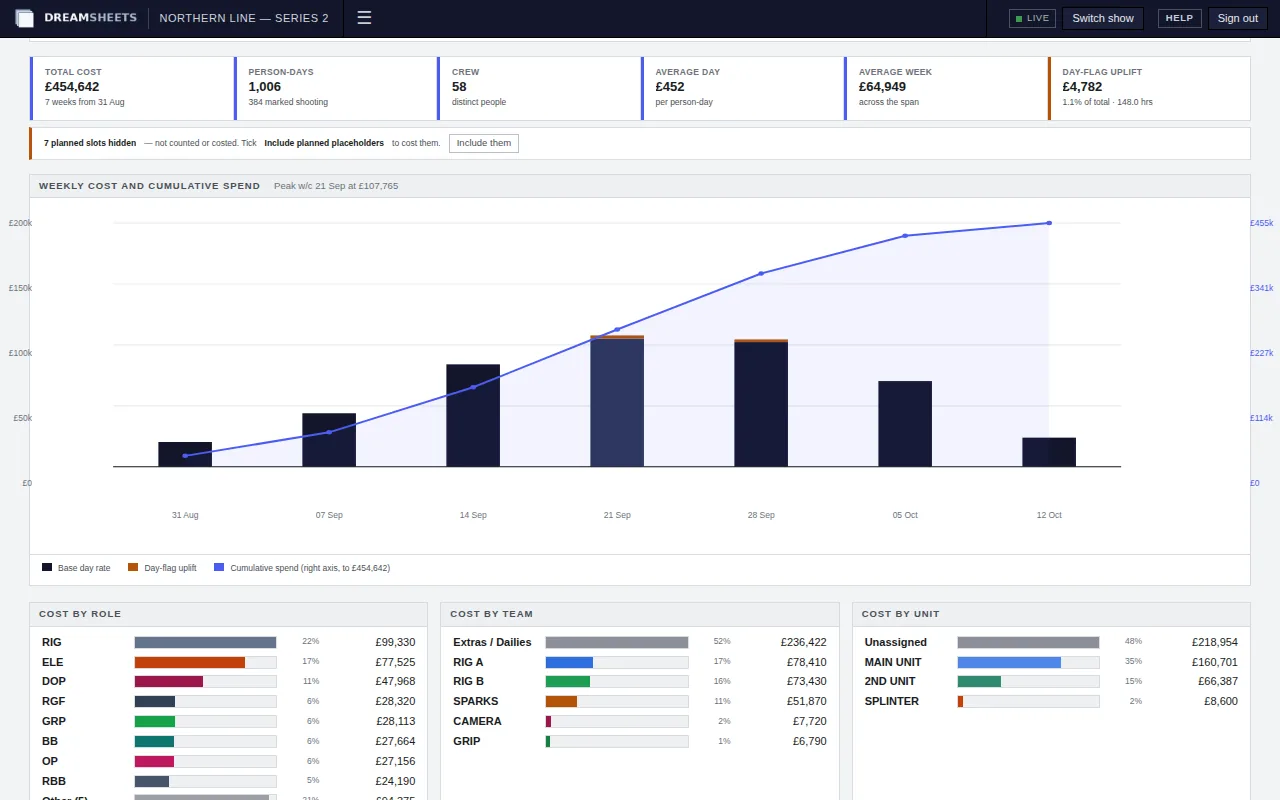
The cost report: a forecast from the plan.
Projected total cost, person-days, crew count, average day and week, and how much overtime and other day flags add. Then a weekly chart with the running total, and breakdowns by week, role, team, unit and day flag. Include unfilled slots and the projection covers the crew you still have to book.
The sums, in full.
A production accountant can follow every figure back to a rate and a planned booking. It's a projection from the schedule, not a record of hours worked: actual hours and payroll stay in your timesheet system.
| Item | How it's costed |
|---|---|
| A booked day | The role's rig day rate, or its shoot day rate when the booking is marked as a shoot day |
| Hourly rate | That day rate divided by the role's contracted hours |
| Overtime | Hours × hourly rate × the flag's multiplier (2× unless you change it) |
| Fixed flag | A set amount added to the day |
| Quantity flag | Quantity × rate, for things like mileage |
| Holiday | Nothing, and not counted as a working day |
| Unfilled slot | The role's day rate, only if you choose to include unfilled slots |
Narrow the report to what you need.
Filters apply when you press Apply, and the filtered report has its own address, so you can send someone the exact view you're looking at.
Dates
The whole production or any range, set with a slider or typed in.
Which days count
All booked days, shoot days only, or non-shoot days only. Rig rate, shoot rate, or both.
Who's included
Pick roles, teams, units and day flags. Limit it to billable roles, and include or leave out unfilled slots.
The PDFs the office sends out.
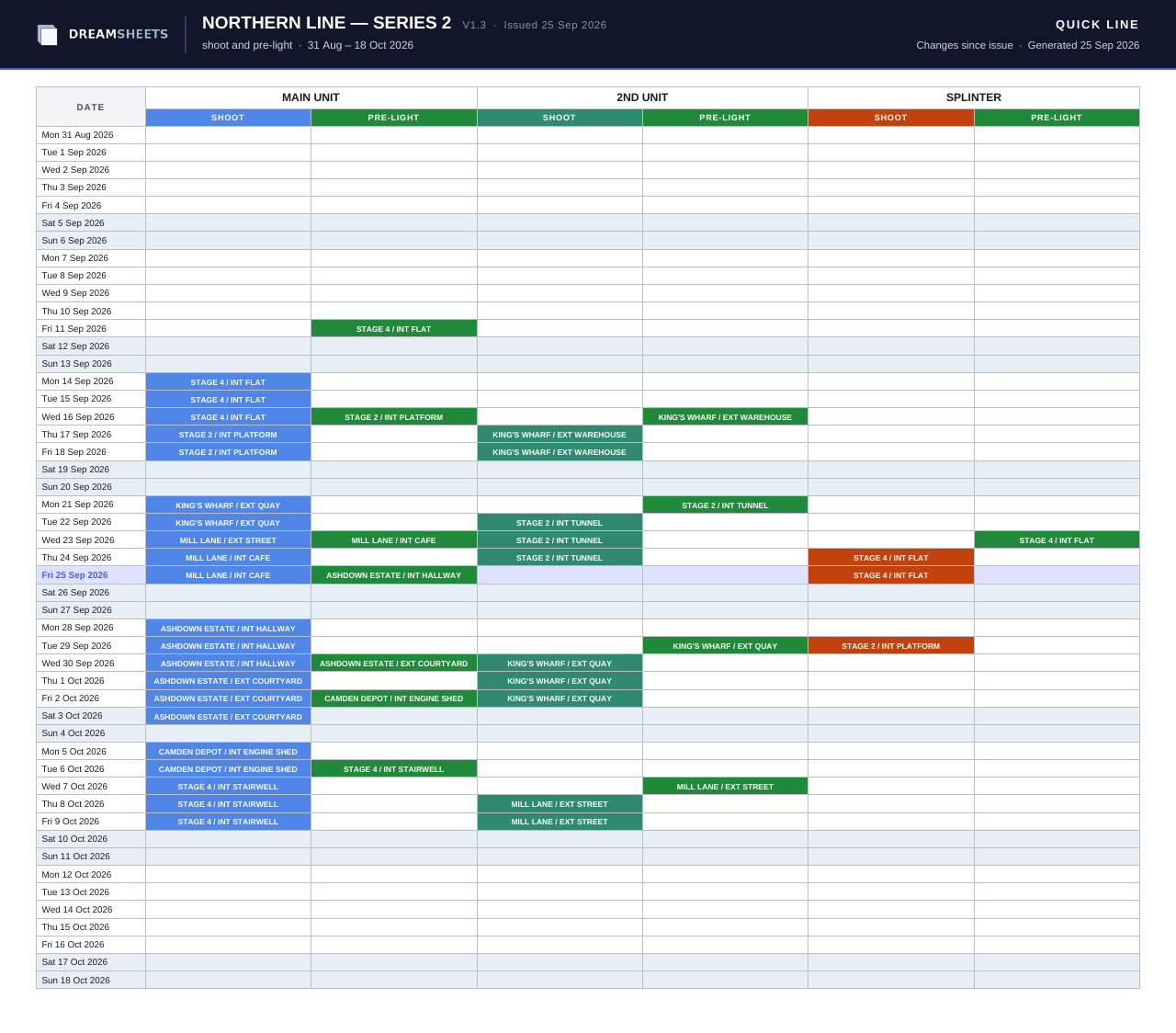
Every PDF carries the production's name and version, the date it was made, and a line saying where its figures come from. Anyone on the production can download them, Viewers included.
| Document | What's on it | Paper |
|---|---|---|
| Quick Line | Shoot and pre-light locations for each unit, one row per date, for the dates and units you chose | A3, portrait for up to three units |
| Full Fat | Each pre-light with DoP, gaffer, cover, time, camera and notes | A3 landscape |
| Events | The month's events and each day's unit locations | A3 landscape |
| Kit allocation | Where each chosen item is, day by day | A4 landscape |
| Cost report | Headline figures, the weekly chart and cost by role | A4 landscape |
| Cost report, week by week | The overview plus the week-by-week table | A4 landscape |
| Crew ledger | Days, base cost, flags and total for each crew member | A4 landscape |
Take the production with you.
The owner can export a production as a JSON file at any time, including after it's wrapped: the members, roles, teams, units, locations, day flags, crew and engagements, every booking with its flags, team and unit days, and notes. The export doesn't include events, kit or pre-light briefings.
Put your next production on DreamSheets.
Tell us about the job and when prep starts, and we'll be in touch.